






21 days, max The DVLA driving-summary print-out has to be dated within 21 days of your collection date. Two to three weeks before is the sweet spot.

If your licence was issued anywhere in mainland Britain, you need to bring two things to the Atlas Motorhomes depot on collection day: the photocard licence itself, and a printed or digital driving-summary from the DVLA, dated within the last 21 days. The paper counterpart that used to come with UK licences was retired in June 2015 and isn’t accepted on its own. Northern Ireland licences work differently, see below.
What you need to bring
- Your photocard driving licence. The plastic card. Address current, not expired. See the full list of documents to bring on collection day for the rest.
- A DVLA driving-summary print-out. Generated from the DVLA’s View driving licence service on gov.uk, dated no more than 21 days before your collection. A printed sheet, screenshot, or PDF on your phone all work at the desk.
Northern Ireland licences
If your licence was issued in Northern Ireland, you don’t need the DVLA summary. NI licences still come with a paper counterpart; bring that with the photocard and you’re set.
When to do it
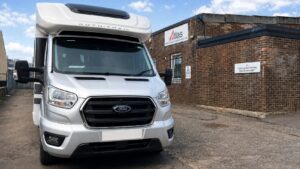
Two to three weeks before your collection is the sweet spot. Any earlier and the print-out tips past the 21-day window before you’ve set off; any later and a wobble (forgotten password, NI number not to hand) leaves you scrambling. A weekend, fifteen minutes, then crossed off the list. The summary travels with the rest of your paperwork to the Glasgow depot on collection day.
At a glance
Photocard plus summary Bring the photocard licence and the DVLA driving-summary together. Photocard alone isn't enough for mainland UK drivers.
Northern Ireland exception NI licences still come with a paper counterpart. Bring it with the photocard and skip the DVLA summary step.
Phone is fine If you can't print, a screenshot or PDF on your phone works at the depot. Just make sure it's legible and dated.
How to get your driving licence summary
The DVLA’s View driving licence service does it in about three minutes. You’ll need three things to start: your driving licence number, National Insurance number, and the postcode on your licence.
- Open the service. Click Start now on the gov.uk page.
- Sign in. Enter your driving licence number, National Insurance number, and postcode.
- Save or print the summary. Use the Print or save your driving summary option. The PDF that comes out is what we need at the depot. One sheet of A4.
- That’s it. Bring the printed page, screenshot, or PDF on your phone to collection. Atlas reads the summary itself, you don’t need to send a check code in advance.
Where to next
Documents to bring on collection day
The full paperwork list: licence, ID, two proofs of address, the £2,000 deposit card.

How the security deposit works
The £2,000 pre-authorisation, what can draw against it, and how a CDW changes the excess.

Back to the FAQ hub
Other questions about your hire: booking, the depot, what's included.